You can invite your colleagues to become admin users for your Organisation. They will be able to log into the FareShare Community Hub and manage the organisation’s profile, opportunities and volunteers.
This can be useful if you have a team managing volunteer recruitment or if you want to give a team member access whilst you are on annual leave.
1. To sign in, go to admin.doit.life
2. Enter your login details and click ‘Sign In’.
3. You will be directed to your organisation’s profile, opening on the ‘Activities’ page.
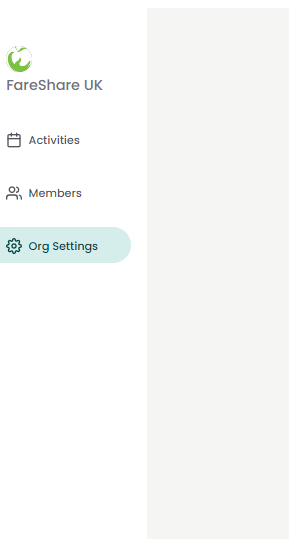
4. From the menu on the left-hand side, select ‘Org Settings’.
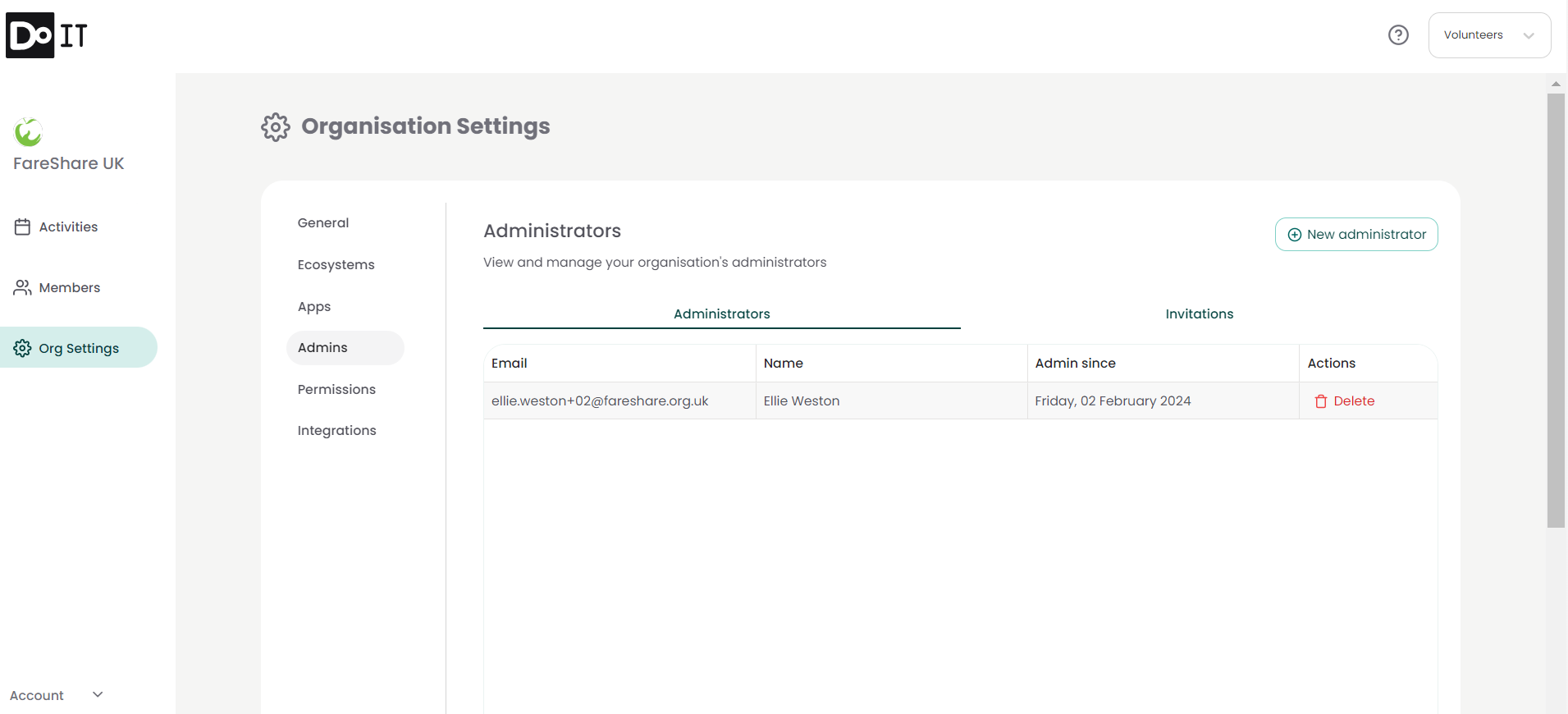
5. Select ‘Admins’ from the settings menu. You will be taken to the Admin page, displaying all current admins for your organisation.
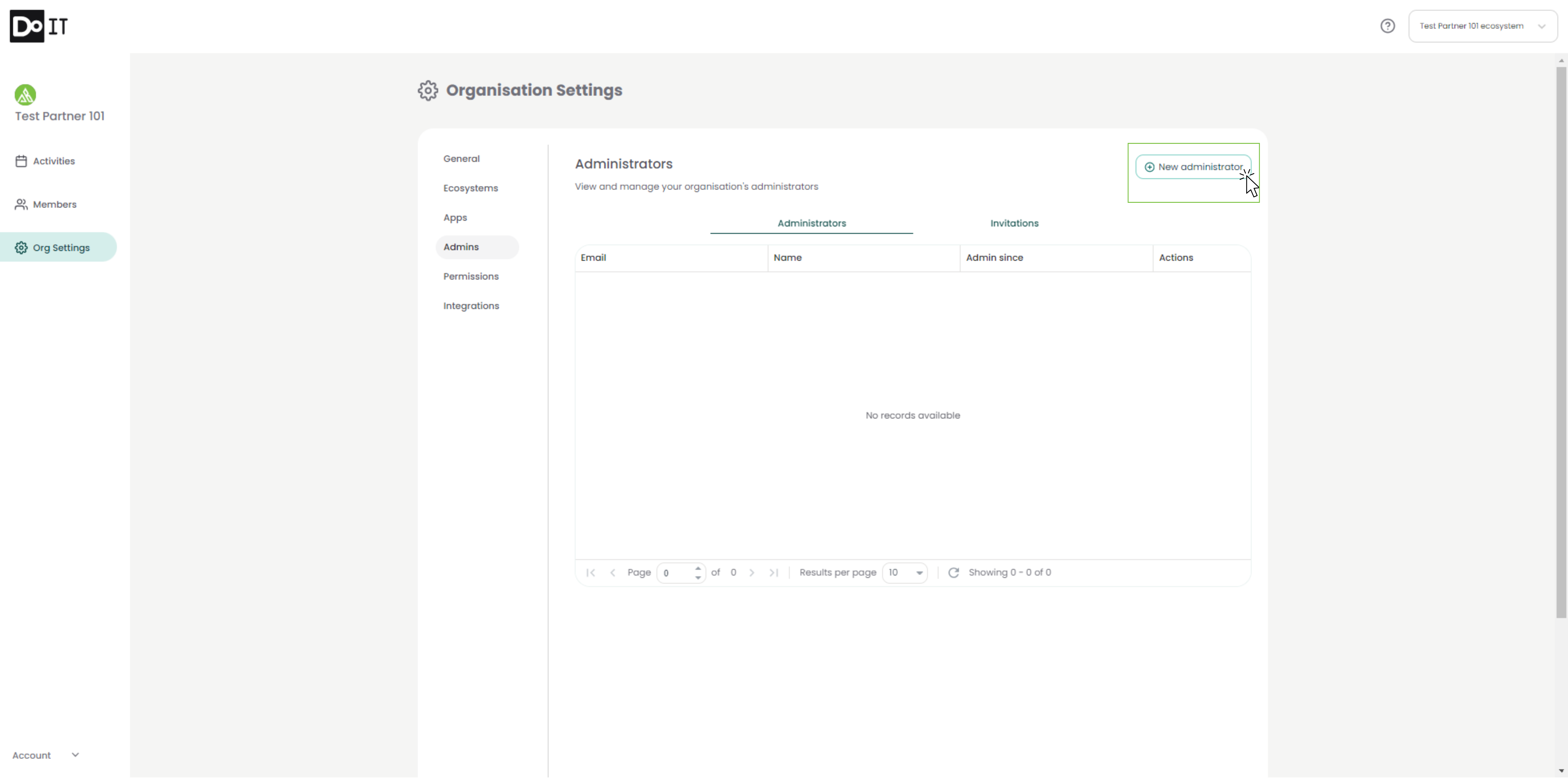
6. Click the ‘New Administrator’ button in the top right-hand corner.
7. Input the email address of the new administrator. You can input multiple emails at this stage, just make sure to click ‘Add’ after inputting each email.
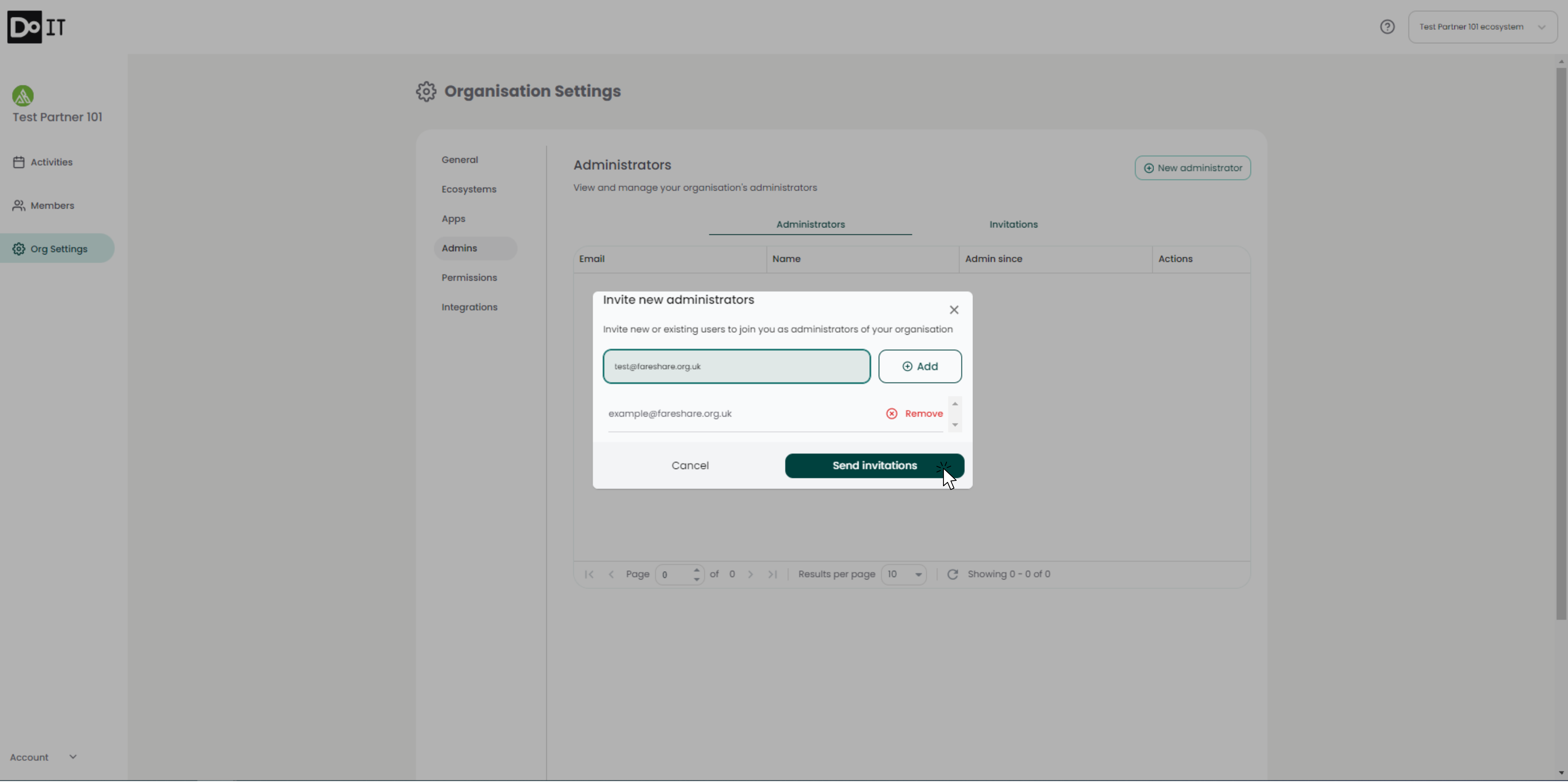
8. Click ‘Send Invitations’. Everyone you have inputted will be sent an email with a link for joining your organisation as an administrator.