How to customise your volunteering application form
When volunteers register interest in your volunteering opportunity, they will complete a short registration form.
By default, the following data is captured from volunteers:
Name
Email
Postcode
Phone Number (Optional)
If you would like to capture different or additional details from the volunteer, you can create a custom data application form for volunteers to complete. This allows you to make fields compulsory. For example, if you would prefer to call volunteers, you can make it compulsory for them to leave a phone number.
You can create multiple volunteering application forms. For each volunteering opportunity, you will need to set which specific volunteering opportunity application form to use.
Click ‘Sign In’ on the top right and enter your login details
You will be directed to Your Spaces.(Can’t see this option? Click here for more help)
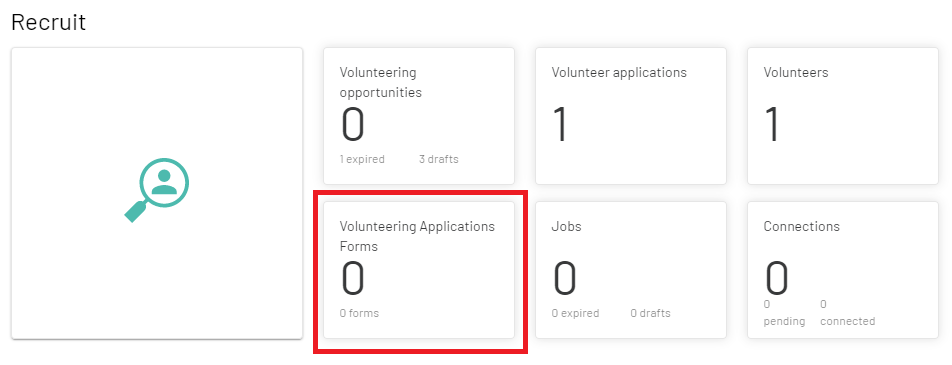
Click Recruit
Click ‘Volunteering Applications Forms’
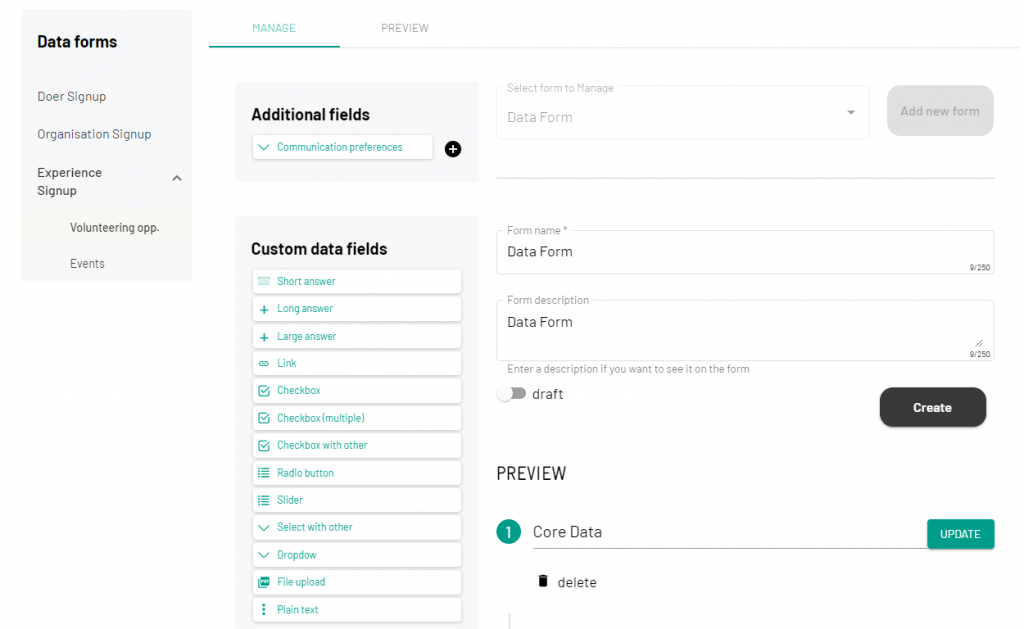
You will be directed to this form.
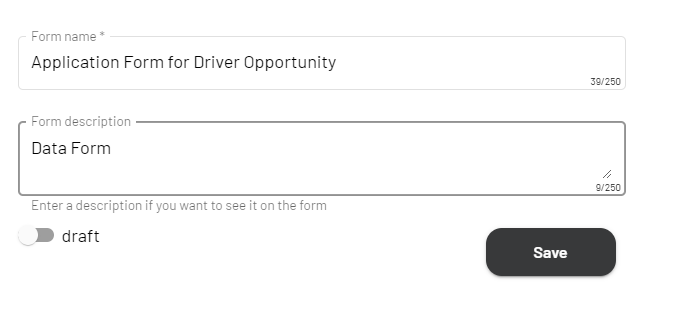
Give your Application Form a title
On the left-hand side, there will be options for the different types of data that you can add to your form. For this example, we will make the Phone Number a required field
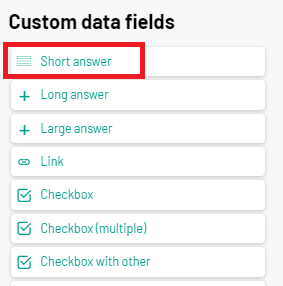
Click ‘Short Answer’
Add the title ‘Phone Number’
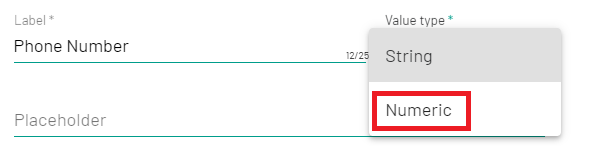
As the phone number will be numerical, we can change the field to require numerical values. Click ‘Value Type’
Select ‘Numerical Value’ from the dropdown
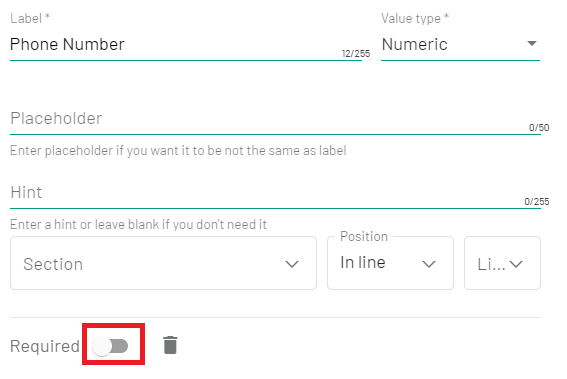
Click the ‘Required’ toggle
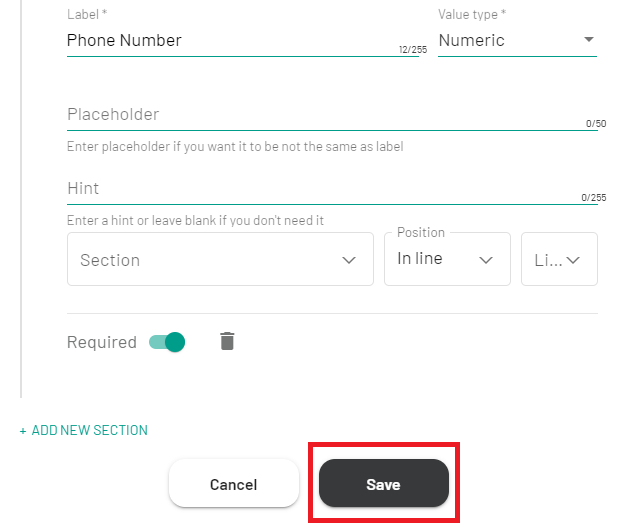
Click ‘Save’
How to preview your custom Volunteering Application Form
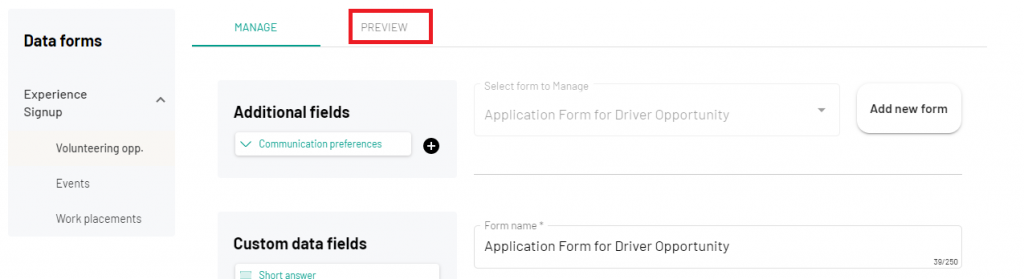
Once you have created your custom application form, you can preview what it will look like to volunteers.
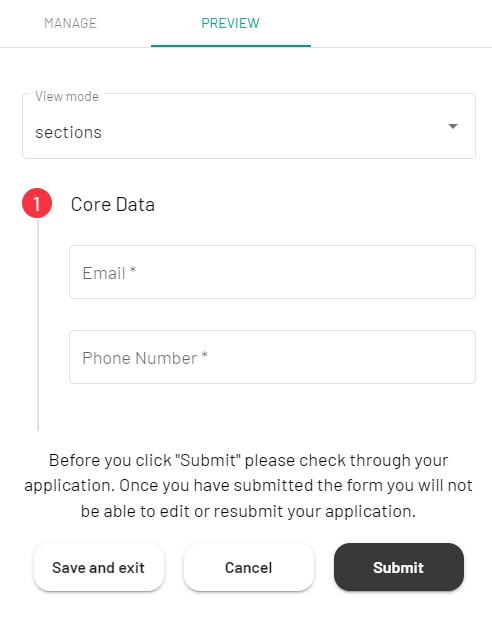
To do this, click the ‘Preview’ tab:
You will see preview of your form:
How to apply your custom Volunteering Application Form to a Volunteering Opportunity
Once you are happy with your custom application form, you can add it to specific opportunities.
Please note: until you have completed these steps, volunteers will complete the default application form and not your custom application form.
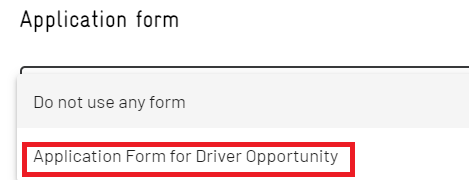
Once you have completed the above steps, you will see the field Application Form on your Opportunity form.
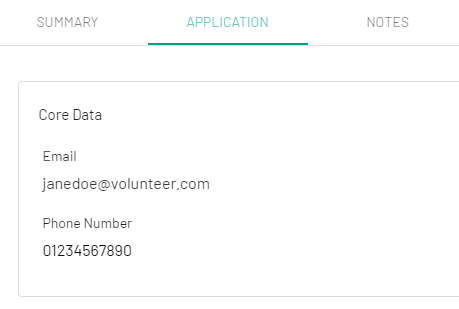
You will see the details listed under the Application tab
Manage Consent
To provide the best experiences, we use technologies like cookies to store and/or access device information. Consenting to these technologies will allow us to process data such as browsing behaviour or unique IDs on this site. Not consenting or withdrawing consent, may adversely affect certain features and functions.
Functional Always active
The technical storage or access is strictly necessary for the legitimate purpose of enabling the use of a specific service explicitly requested by the subscriber or user, or for the sole purpose of carrying out the transmission of a communication over an electronic communications network.
Preferences
The technical storage or access is necessary for the legitimate purpose of storing preferences that are not requested by the subscriber or user.
Statistics
The technical storage or access that is used exclusively for statistical purposes.The technical storage or access that is used exclusively for anonymous statistical purposes. Without a subpoena, voluntary compliance on the part of your Internet Service Provider, or additional records from a third party, information stored or retrieved for this purpose alone cannot usually be used to identify you.
Marketing
The technical storage or access is required to create user profiles to send advertising, or to track the user on a website or across several websites for similar marketing purposes.