When a volunteer registers interest in your opportunity, the following will happen:
The next stage is to communicate with the volunteer to discuss their application.
1. To sign in, go to admin.doit.life
2. Enter your login details and click ‘Sign In’.
3. You will be directed to your organisation’s profile, opening on the ‘Activities’ page.
4. If it is not already selected, click ‘Applications’ to review the applications you have received.
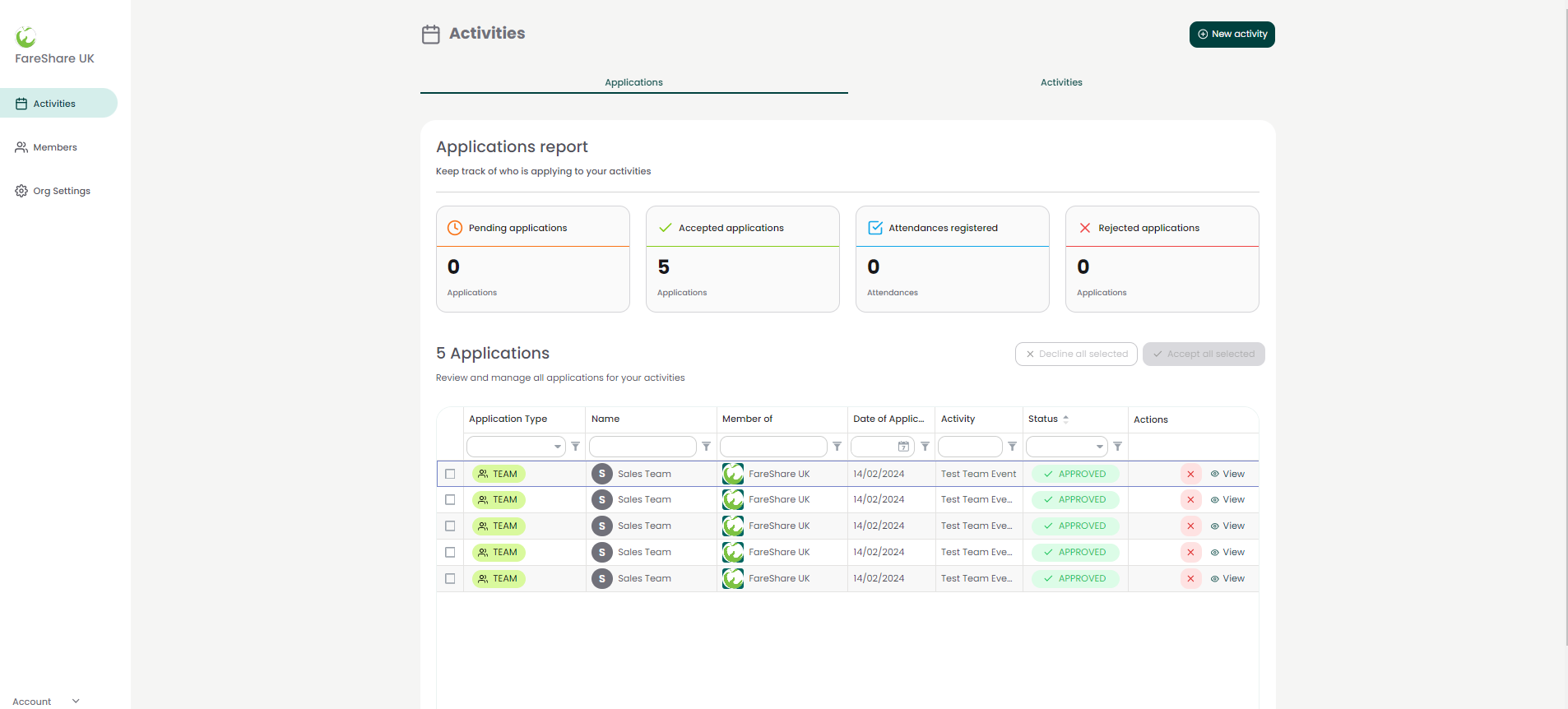
Here you can review the applications you have received for your volunteering opportunities.
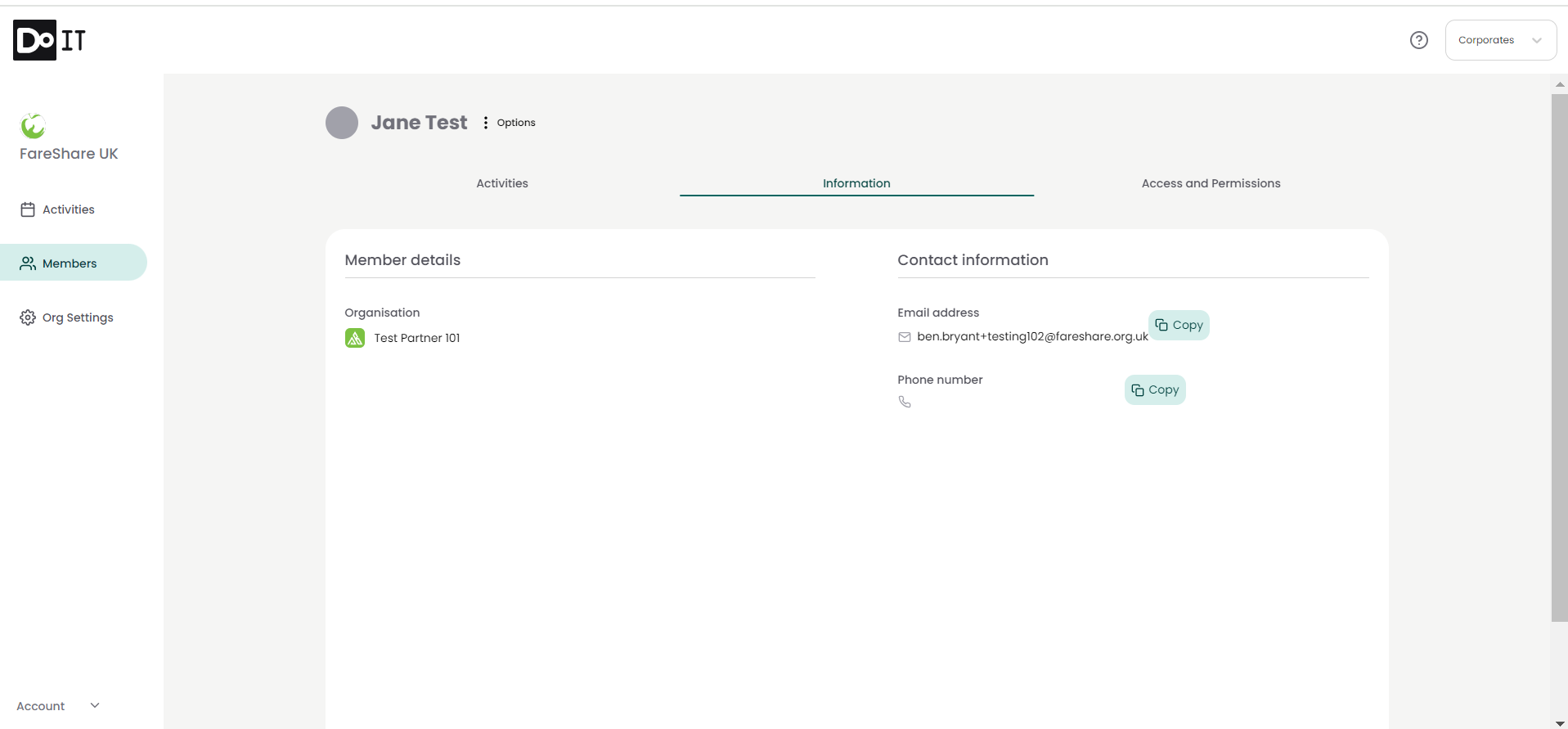
As part of the application process, volunteers will have to provide an email address. They are also encouraged to provide a phone number. You can find these details by clicking ‘View’ next to their application. This will take you to the applicants page, where you can review their contact details and reach out if necessary.
You have the option to accept or decline applications on the platform. In either case, the volunteer will be sent an automated email to let them know.
It’s useful to accept and decline applications to give you visibility on which applications are new and so that you can filter your applications accordingly.
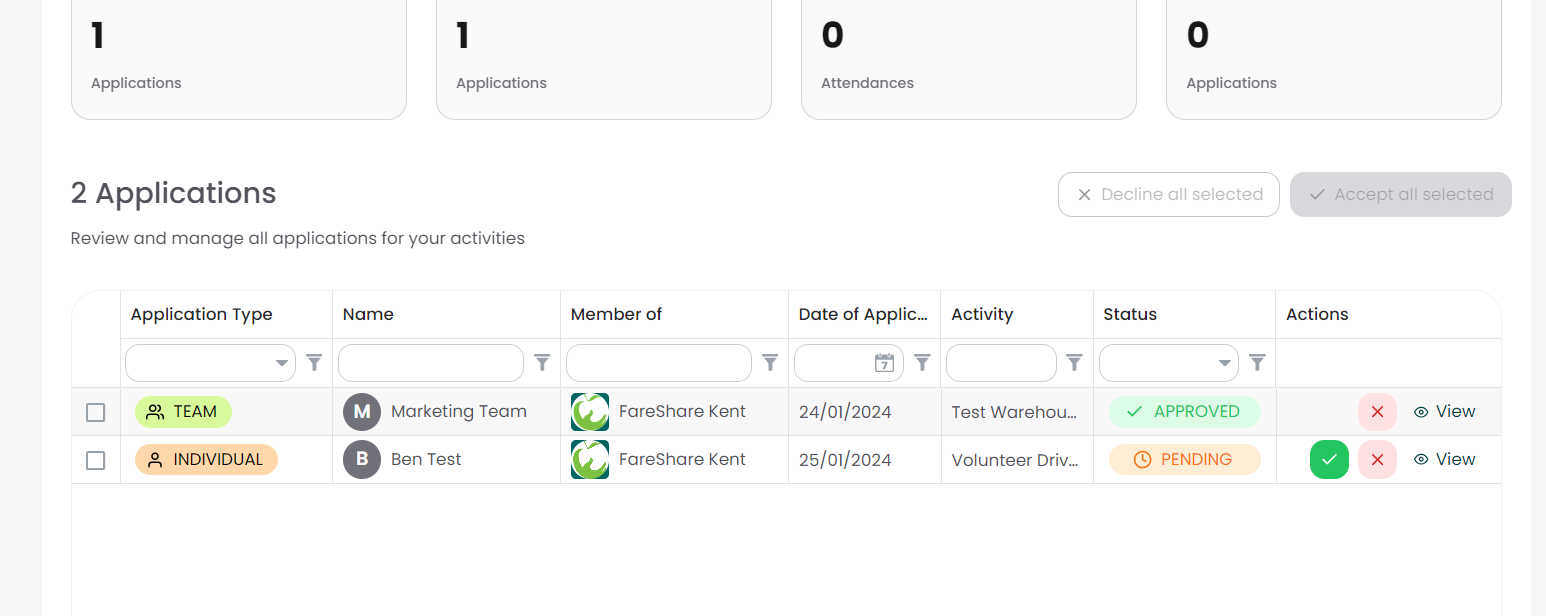
You can accept or decline an application by clicking on the tick or the cross next to their application. If you choose to decline an application, you will be prompted to write a message which will be sent to the volunteer. This is an opportunity to provide an explanation to the prospective volunteer as to why their application has been declined. Please note that this message will go directly to the prospective volunteer, so please ensure it is written in a way you would like the volunteer to receive.