How to re-publish an opportunity to the FareShare Community Hub

When adding a volunteer opportunity, you should publish the opportunity to Volunteer, Well and the FareShare Community.
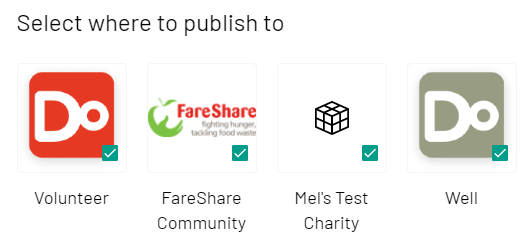
This way your opportunity will be promoted to FareShare volunteers and Do IT site users.

You can easily update where your opportunities are published to maximise the exposure that your volunteering opportunity receives.
To re-publish your opportunity

  1. To sign in, go to doit.life/fareshare
  2. Click ‘Sign In’ on the top right and enter your login details
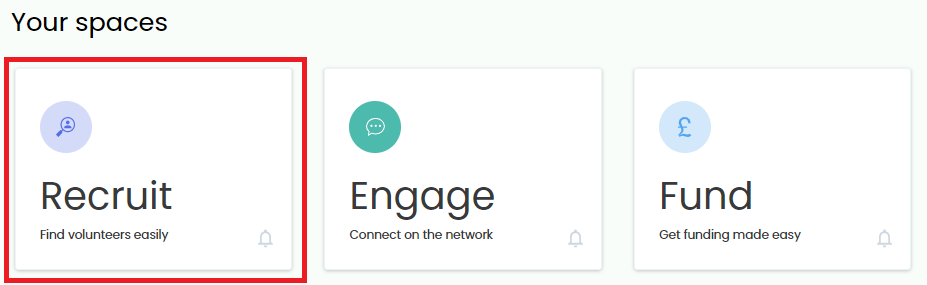
  3. You will be directed to Your Spaces. (Can’t see this option? Click here for more help)
  4. Click ‘Recruit’
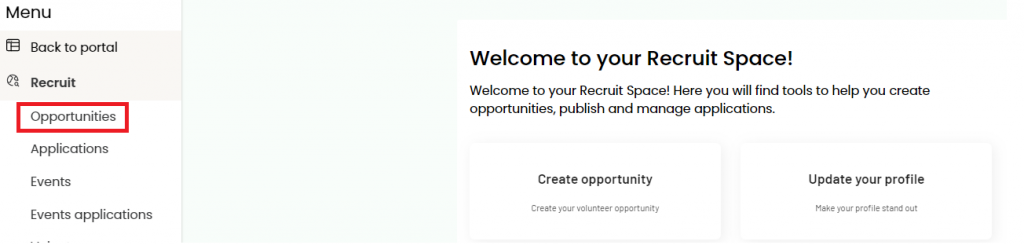
  5. Click ‘Opportunities’

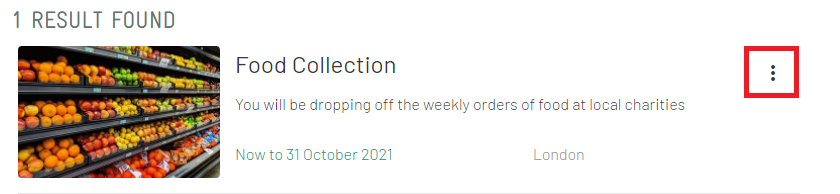
  6. By default, you will see your ‘live’ opportunities. Click the three dots on the right of the opportunity you wish to re-publish
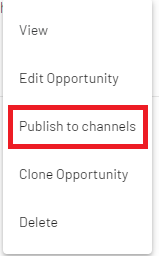
  7. Select ‘Publish to Channels’ from the dropdown
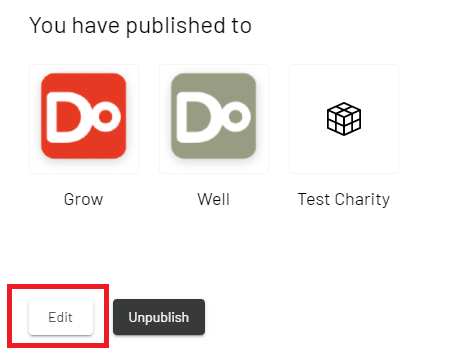
  8. You will be shown where your opportunity is currently published. Click ‘Edit’
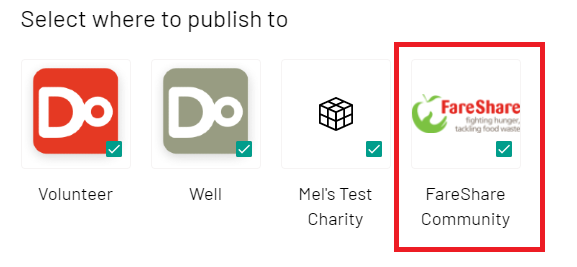
  9. You will be shown more publishing options. Tick ‘FareShare Community’
  10. Click ‘Publish’

The opportunity will now be live for both FareShare volunteers and Do IT site users to register their interest.