How to publish your draft opportunity

You can save your opportunity as a draft before publishing. This is great if you would like to have another team member check over the details.
To publish your draft opportunity

  1. To sign in, go to doit.life/fareshare
  2. Click ‘Sign In’ on the top right and enter your login details
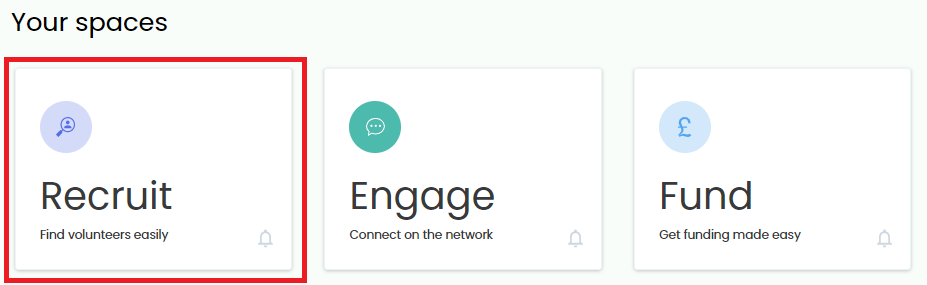
  3. You will be directed to Your Spaces. (Can’t see this option? Click here for more help)
  4. Click ‘Recruit’
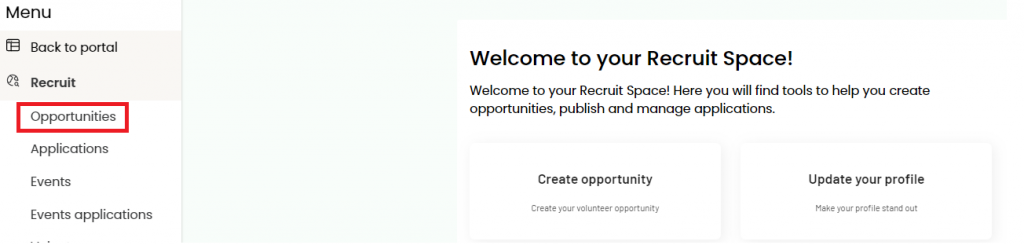
  5. Click ‘Opportunities’

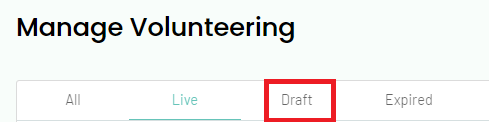
  6. By default, you will see your ‘live’ opportunities. Click ‘Draft’
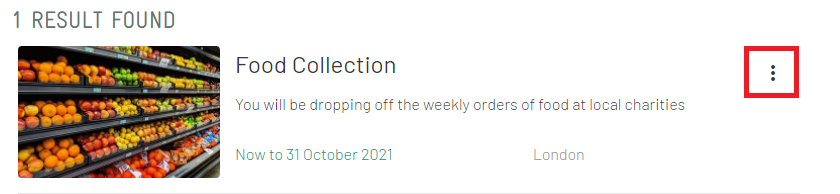
  7. Click the three dots on the right of the opportunity you wish to publish

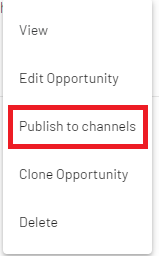
  8. Select ‘Publish to Channels’ from the dropdown
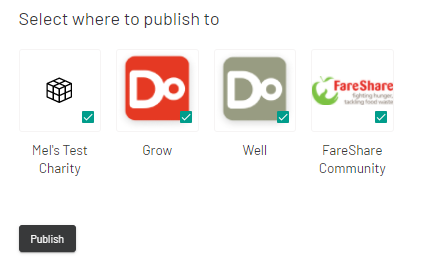
  9. Ensure that all the options are ticked and click ‘Publish’.
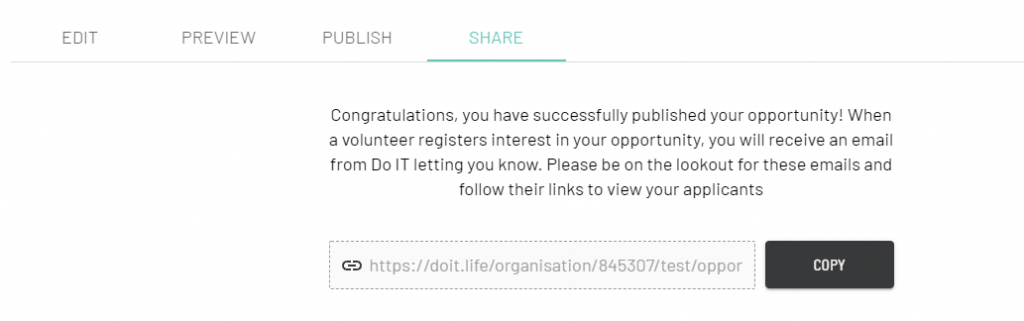
  10. Once the opportunity has been published, you will see this confirmation message

The opportunity will now be live on The Hub for volunteers to find and register their interest.

The next step will be to manage any applications that come in. Here’s a guide to help you Manage Your Volunteer Applications.